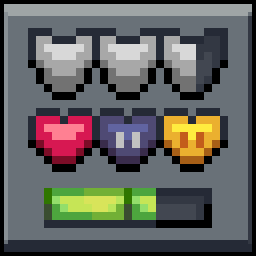
Mandala's GUI - Dark mode
16xMandala GUI is an elegant theme, in the style of Mandala Creations. It is specifically made for people who like Dark mode. It only changes the UI of Minecraft, without changing items or blocks.
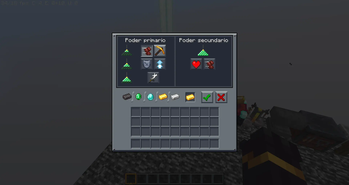
O paczce Mandala's GUI - Dark mode
Mandala GUI is an elegant theme, in the style of Mandala Creations.
It is specifically made for people who like Dark mode.
It only changes the UI of Minecraft, without changing items or blocks.
Instrukcja: Jak zainstalować Mandala's GUI - Dark mode?
1
Pobierz plik paczki
Kliknij przycisk „Pobierz Resource Pack (.zip)” powyżej i zapisz plik na dysku.
2
Otwórz folder w grze
Uruchom Minecraft, przejdź do: Opcje → Paczki zasobów → Otwórz folder z paczkami.
3
Przenieś plik i ciesz się grą!
Przeciągnij pobrany plik mandalas-gui-dark-mode.zip do otwartego folderu, kliknij strzałkę w prawo na liście w grze i zatwierdź przyciskiem Gotowe.