
Netherite Stone
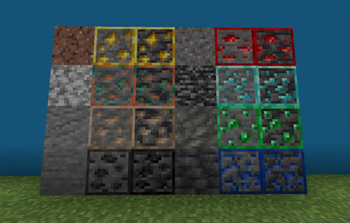
16xReplaces the Textures from Stones and Ores with the Netherite block texture
O paczce Netherite Stone
Replaces the Textures from Stones and Ores with the Netherite block texture
Instrukcja: Jak zainstalować Netherite Stone?
1
Pobierz plik paczki
Kliknij przycisk „Pobierz Resource Pack (.zip)” powyżej i zapisz plik na dysku.
2
Otwórz folder w grze
Uruchom Minecraft, przejdź do: Opcje → Paczki zasobów → Otwórz folder z paczkami.
3
Przenieś plik i ciesz się grą!
Przeciągnij pobrany plik netherite-stone.zip do otwartego folderu, kliknij strzałkę w prawo na liście w grze i zatwierdź przyciskiem Gotowe.