
Rain Revamp
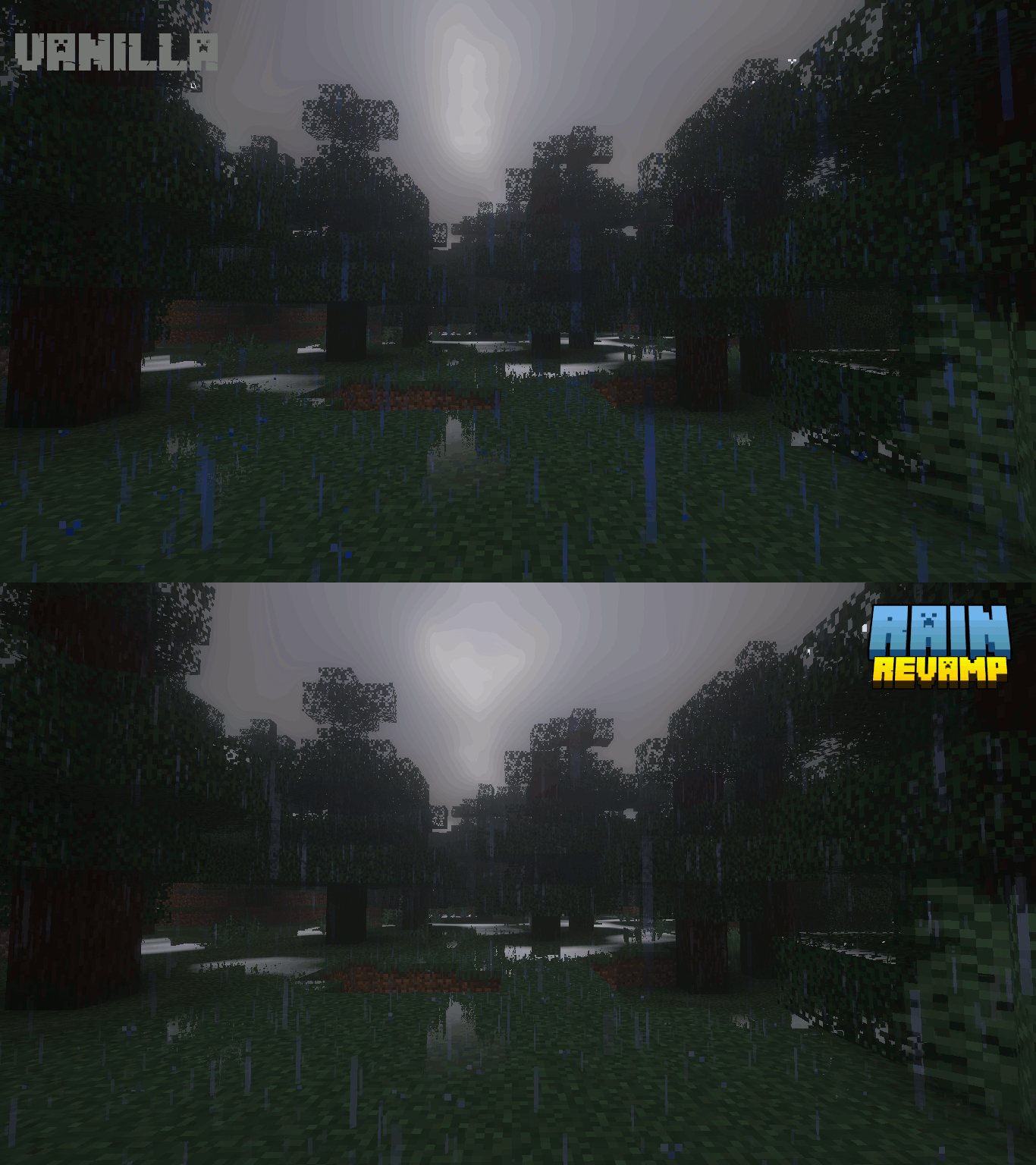
16xThis pack changes the saturation of the rain so it becomes a more mute color instead of that strong default blue, this way it is more similar to the rain you see in real life. Perfect to enhance the look of some shaders.
O paczce Rain Revamp
This pack changes the saturation of the rain so it becomes a more mute color instead of that strong default blue, this way it is more similar to the rain you see in real life.
Perfect to enhance the look of some shaders.
Instrukcja: Jak zainstalować Rain Revamp?
1
Pobierz plik paczki
Kliknij przycisk „Pobierz Resource Pack (.zip)” powyżej i zapisz plik na dysku.
2
Otwórz folder w grze
Uruchom Minecraft, przejdź do: Opcje → Paczki zasobów → Otwórz folder z paczkami.
3
Przenieś plik i ciesz się grą!
Przeciągnij pobrany plik rain-revamp.zip do otwartego folderu, kliknij strzałkę w prawo na liście w grze i zatwierdź przyciskiem Gotowe.